Why the compromise is the point
There are better ergonomic keyboards than the K860. The Kinesis Advantage and the ZSA Moonlander do more, adjust further and will serve a committed user better for the rest of their career. They also cost two to three times as much and take a month to learn, during which your typing speed collapses and your work suffers.
The K860 asks nothing. The keys are where they have always been. You take it out of the box, you type on it, and your speed is roughly normal within an hour. That is why it is the keyboard we recommend first to somebody whose wrists have started aching, because the intervention that actually gets adopted beats the theoretically superior one that ends up in a cupboard.
What it actually does for your wrists
Two things, and it is worth separating them.
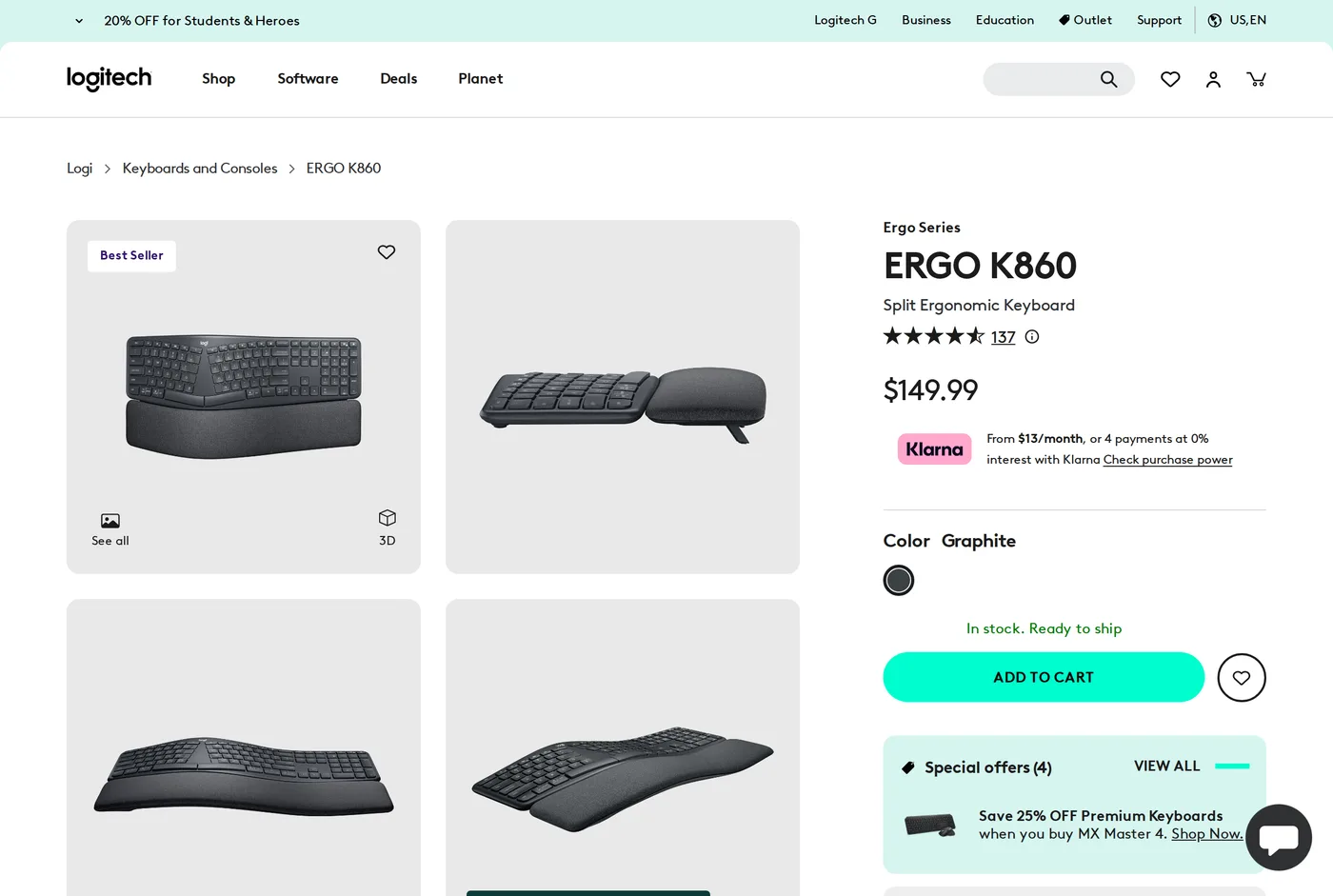
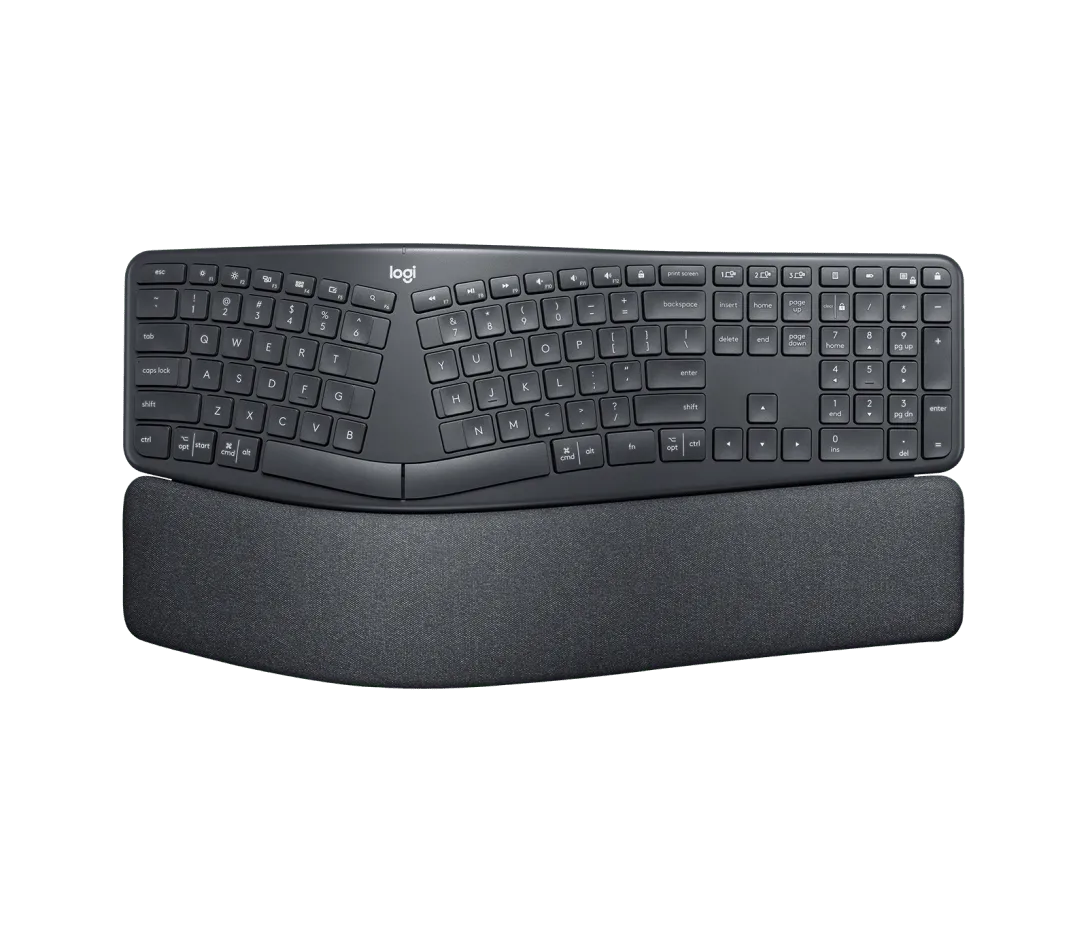
Ulnar deviation. On a standard keyboard your hands angle outwards at the wrist to reach the keys. The K860's split-and-curve layout lets your forearms and hands stay roughly in line. Logitech quote a reduction in wrist bending; whatever the exact figure, the effect is real and you feel it within a day.
Extension. This is the one people miss. Typing with your wrists bent upwards — which is what happens on a keyboard tilted up at the back, which is nearly all of them — is at least as hard on the tendons as deviation. The K860's legs tilt it negatively: 0, −4 and −7 degrees, so the back edge drops. Combined with the wrist rest, your hands sit flat or slightly downward.
Almost no mainstream keyboard offers negative tilt. If you buy nothing else from this review, learn that the feet on the back of your current keyboard should probably be folded flat.
The wrist rest
Integrated, fabric-covered, with genuine padding rather than the thin plastic ledge most keyboards call a palm rest. It is the right height for the keyboard, which sounds obvious and is exactly what separate wrist rests usually get wrong.
One usage note, and it applies to every wrist rest ever made: it is a palm rest for pauses, not a place to plant your wrists while typing. Resting the wrist and pivoting the hand from it is how people develop the problems these products claim to solve. Use it between bursts.
The size problem
It is large. Full-size layout, split and curved, plus an integrated wrist rest, adds up to a keyboard that occupies a serious amount of desk. On a 36-inch desk with a mouse, it is most of the surface. Measure first.
The related complaint is that it is a single piece. A true split keyboard lets you set each half at your own shoulder width and tent them independently. The K860 fixes the angle at whatever Logitech decided, and if your shoulders are much wider or narrower than average, that fixed angle is a compromise you cannot adjust.
The first week
The transition is easier than a true split keyboard and it is not nothing.
The keys you will fumble are the ones nearest the split: B, Y and the 6, which on a standard board are reachable by either hand and here are firmly assigned to one. If you have been typing B with the wrong hand for twenty years, you will discover it on day one.
Everything else transfers immediately. Our typing speed was back to normal inside an afternoon, against two to four weeks for a Moonlander.
The other adjustment is the negative tilt itself. For a few days it feels as though the keyboard is running away from you downhill. That passes, and going back to a flat board afterwards feels wrong, which is a good sign.
Feel and longevity
Membrane, and it feels like it: soft, slightly mushy, quiet. Nobody buys this for the typing experience and nobody should. It is quiet, which is a genuine advantage in a shared room.
Longevity is the same story as any membrane board: fine for years, not repairable, not a keyboard you will hand down.
Verdict
8.5, and the highest score here among keyboards we would hand to somebody with no interest in keyboards. If your wrists hurt and you want one purchase that helps, this is it.
If you find after six months that you want more — independent halves, tenting, a better switch — that is what the Moonlander review is for.
What holds up
- Curved split layout reduces ulnar deviation while keeping a standard key arrangement
- Negative tilt legs (0°, −4°, −7°) are the feature most people need and rarely find
- The pillowed wrist rest is properly done, not a strip of foam
- Full-size layout with a number pad, and quiet
What wears thin
- Enormous — measure your desk before ordering
- One piece, so you cannot set the halves to your own shoulder width
- Not adjustable for tenting beyond the fixed curve
- Membrane feel is mushy next to anything mechanical